

1 Connect and authenticate
The API lives at https://<device>/api/. Authentication is a session cookie obtained by
posting your web-interface credentials to /api/login. There is no API key and no
bearer token.
1.1 Switch on remote access
A new Kilobaser answers on its touchscreen only. Remote access has to be enabled once, by hand, at the machine — the manual calls this the visibility of the device, and the setting is described in Remote web interface in Preparation.
On the touchscreen, open Settings → Security and turn on device visibility / HTTPS access. The Kilobaser generates a certificate for itself and starts listening. Until then, requests to port 443 are refused and plain HTTP redirects to a page explaining that remote access is off.
The same settings sections are reachable from a browser once HTTPS is on, though the HTTPS switch itself lives at the Kilobaser:
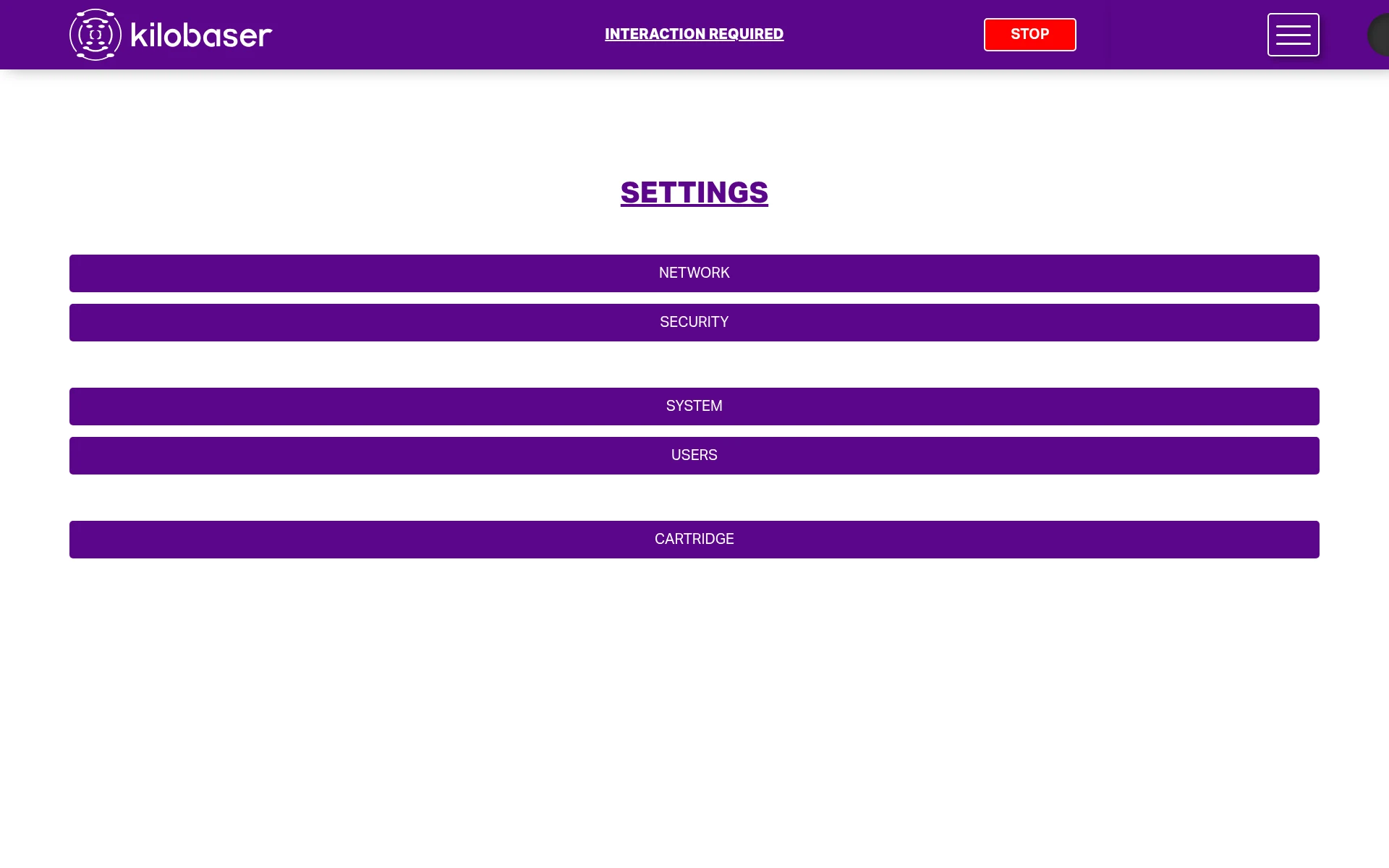
Network, security and users are admin-only; a user account sees a shorter list.
 CAUTION
Enabling remote access makes the Kilobaser reachable by anyone who can route to it. It
has no rate limiting and no lockout on failed logins. Put it on a network where that is
acceptable.
1.2 The certificate
The certificate the device generates is self-signed, so nothing will trust it out of
the box. Every example in this guide passes --insecure (curl) or verify=False
(Python) for that reason.
That is fine while you are finding your feet and not fine in production, because it disables the check that you are talking to the machine you think you are. Two better options:
Pin the device's own certificate. Fetch it once, keep it with your code, and check against it:
openssl s_client -connect kilobaser.lab.example.org:443 -showcerts </dev/null 2>/dev/null \
  | openssl x509 > kilobaser.pem

curl --cacert kilobaser.pem https://kilobaser.lab.example.org/api/status
The device replaces its certificate before it expires, so this needs re-fetching about once a year.
Install your own certificate. If your site issues certificates, upload one with
POST /api/settingsUser/sslFiles and the problem goes away permanently. This needs an
admin account.
1.3 Log in
curl --insecure -c cookies.txt \
  -X POST https://kilobaser.lab.example.org/api/login \
  -H 'Content-Type: application/json' \
  -d '{"username": "apibot", "password": "..."}'
{
  "id": "55d56ae5-6484-44f2-9f60-2b75fa3f0b96",
  "expiresAt": "2026-09-09T22:08:26.625789374Z",
  "user": { "id": "admin", "name": "Administrator", "role": "admin" }
}
The response carries a Set-Cookie header:
set-cookie: session=55d56ae5-6484-44f2-9f60-2b75fa3f0b96; Expires=Wed, 09 Sep 2026 22:08:26 GMT; HttpOnly
Send that cookie on every subsequent request. Any HTTP client with a cookie jar does
this for you; if yours does not, the session id is also in the response body as id, so
you can build the header yourself:
curl --insecure -H 'Cookie: session=55d56ae5-6484-44f2-9f60-2b75fa3f0b96' \
  https://kilobaser.lab.example.org/api/status
Note that username is the account id, which is not always what the interface
displays. The account shown as "Administrator" logs in as admin.
PUT /api/logout ends a session. You do not have to call it — sessions expire on their
own after a month — but a long-running service that reconnects should, rather than
accumulating sessions.
1.4 Sessions do not survive a restart
Sessions are kept in the device's memory. When the Kilobaser reboots, or its software is updated, every session is gone, regardless of the expiry date it advertised.
Any client that runs longer than a few minutes has to handle this. The symptom is a request suddenly failing with:
{"error": "{\"code\": \"2-1-4\", \"message\": \"Session cookie was not provided\"}"}
Note the status code: 400, not 401. Nothing in this API returns 401, so a client
that watches for it will loop forever instead of logging back in. Branch on the error
code instead. kb_client.py does exactly this — it logs in again and retries once, and
then gives up so a genuine credentials problem does not become an infinite loop.
1.5 Roles
Every account has one of two roles that matter here.
user |
admin |
|
|---|---|---|
| Queue, start, answer, cancel runs | yes | yes |
| Read status, consumables, oligo yield | yes | yes |
| Handle errors | yes | yes |
Manage accounts (/api/users) |
no | yes |
| Security and network settings | no | yes |
CAUTION
Two admin-only calls are destructive and easy to trigger by accident. POST /api/users
takes the entire list of accounts and deletes any account missing from it, so always
read the list, change one entry, and send the whole thing back. PUT /api/settingsUser/security
carries a factoryReset field which, if set true, wipes the Kilobaser.
Give your integration a user account unless it genuinely needs to manage the
device. Everything in this guide except managing accounts works
with one. Create a dedicated account rather than reusing a person's, so the run history
shows which submissions came from your system.
A request made with insufficient rights returns 403 and code 2-1-5.
There are also dev and clientdev roles used by Kilobaser for development and
servicing. They cannot log in at all unless the device has been put into developer mode,
and nothing in this guide requires them.
1.6 Request rules
Anything with a body must declare it as JSON. Omitting the header gets you a 415 whose message does not mention the header you forgot:
{"error": "Bad Content-Type or charset, expected 'application/json'"}
Errors arrive double-wrapped. The body is an object whose error field is itself a
JSON document, as a string:
{
  "error": "{\n  \"code\": \"2-16-2\",\n  \"message\": \"user/password combination not found\"\n}"
}
So reading the code out means parsing twice:
import json
detail = json.loads(response.json()["error"])
print(detail["code"], detail["message"])
Branch on code, which is stable, rather than on message, which is prose and may be
reworded. A few errors — the 415 above among them — put a plain string in error
instead, so parse defensively. See error codes for the full list.
Identifiers contain colons. Queue entries and runs are identified by strings like
2026-08-09T22:05:25Z-0be17442. They are opaque: do not parse them, and do remember to
URL-encode them if your HTTP library does not.
Listings are paged at 15. GET /api/processRuns and GET /api/processRuns/queue
take from and limit. The convenient alternative is GET /api/init, which returns
the whole current queue in one go; see live state.
1.7 Check that it works
curl --insecure -b cookies.txt https://kilobaser.lab.example.org/api/settingsUser/systemInformation
{
  "serialNr": "KS000000",
  "firmwareVersion": "1.5.2",
  "softwareVersion": "1.5.2",
  "userTimezone": "Europe/Vienna",
  "recommendedCartridgeType": "2",
  "recommendedChipKind": "2"
}
If that returns, you are connected and authenticated. Quote serialNr and
softwareVersion in any support request.